AldoMedia logo .BIZ

Desktop Guide: Buffalo NY

Student and Business Desktops in Buffalo NY

What does a semester of papers, a home office, and a small business front desk have in common? None of them need RGB lighting. They need a quiet tower that boots in seconds and runs for five years. These are the four desktop lines we trust for Buffalo students and offices.

Updated July 2026 · Free Prime shipping to Erie County · Editors rating 4.6 / 5

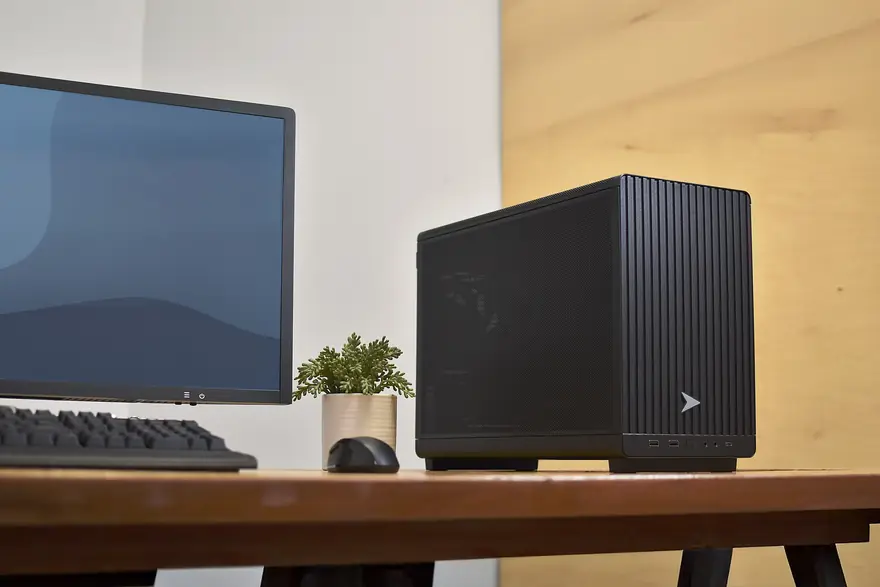
Small black business desktop tower with a monitor, keyboard, and potted plant on a wood desk

#Four Towers That Just Work

Ranked by how rarely we ever hear about them again after setup.

Lenovo ThinkCentre M70t $799 to $999

Our default recommendation for years running. The M70t pairs a Core i5 or i7 with 16GB of RAM, tool free access to every component, and the lowest failure rate of anything we deploy. It is the desktop equivalent of a Toyota Camry, and that is a compliment.

Why it wins

Three year warranty standard, quiet under load, and every part is user replaceable with a screwdriver. When a client asks for one machine that will not become a support call, this is it.

CPU: Core i5 or i7 · RAM: 16GB · Storage: 512GB NVMe · OS: Windows 11 Pro

Check the ThinkCentre M70t price on Amazon (opens in a new tab)

Dell Pro Tower $699 to $1,199

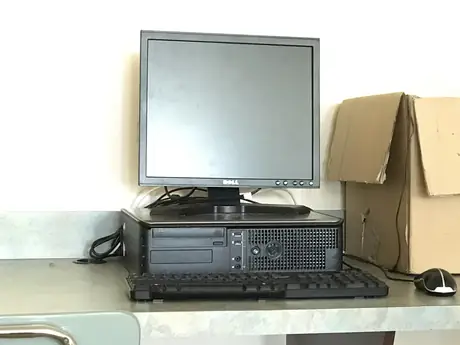
Dell folded the famous OptiPlex name into its Dell Pro line, but the machine underneath is the same corporate workhorse that filled offices for two decades. Configurations run from a modest Core Ultra 5 with 16GB up to a Core Ultra 7 with 32GB for heavier multitaskers. Millions of nearly identical units mean cheap parts forever.

CPU: Core Ultra 5 or 7 · RAM: 16 to 32GB · Storage: 512GB to 1TB NVMe

HP Pro Tower 400 $749 to $899

The HP entry sits between the other two on price and matches them on reliability. We like it for front desk and point of sale duty because HP sells the same chassis for years at a time, so a replacement or an added unit always matches. Wolf Security firmware protection is included, which small offices never configure and probably should.

CPU: Core i5 · RAM: 16GB · Storage: 512GB NVMe · OS: Windows 11 Pro

See HP Pro Tower availability on Amazon (opens in a new tab)

ASUS ExpertCenter D7 $699 to $849

The value alternative. ASUS undercuts the big three by 50 to 100 dollars at matching specs and throws in a surprising amount of expansion room. Support is mail-in rather than on-site, which is the honest trade you make for the discount. A strong pick for students paying their own way.

CPU: Core i5 · RAM: 16GB · Storage: 512GB NVMe · Expansion: 2 spare DIMM slots

#The 2026 Spec Floor

Every pick above clears the same bar, and anything you buy instead should too: a current Ryzen 5 or Core i5, 16GB of RAM, and a 512GB NVMe drive. It still surprises us how many 8GB machines are sold as new in 2026.

That floor is not about bragging rights. Windows 11 plus a modern browser session idles near 9GB of memory before you open a single assignment, and a 256GB drive fills the moment OneDrive syncs a semester of lecture recordings. The difference between a machine that feels fine in year one and fine in year five is almost always those two numbers, not the processor badge on the front.

Integrated graphics are plenty for coursework, Office, QuickBooks, and streaming. The moment someone in the house wants real frame rates, that is a different machine and a different budget, covered in our basic gaming desktops guide.

Business desktops on Amazon

Filter current i5 and i7 towers with Windows 11 Pro and next day delivery across Western New York.

As an Amazon Associate, AldoMedia.Biz earns from qualifying purchases.

Compare tower specs on Amazon (opens in a new tab)

#The Picks Side by Side

Student and business desktop comparison, July 2026
ModelTypical PriceWarrantyBest Fit
Lenovo ThinkCentre M70t$8993 yrSet and forget reliability
Dell Pro Tower$7991 to 3 yrFleet standard, cheap parts
HP Pro Tower 400$8291 to 3 yrFront desk and POS duty
ASUS ExpertCenter D7$7491 yrBudget conscious students
Save or spend: Spend on RAM, storage, and warranty length. Save by skipping discrete graphics, Wi-Fi 7 add-in cards, and anything described as a gaming bundle. A used 24 inch office monitor for 60 dollars finishes the setup nicely.

#Notes for Campus and Home Offices

UB North Campus dorms and the apartments around Buff State have one thing in common: not much desk space. All four picks come in small form factor versions that hide behind a monitor, usually for 30 to 50 dollars more. For remote workers from Williamsville to South Buffalo, match the machine to your connection too. Spectrum uploads still lag Fios in much of the area, so if your job lives on video calls, the network upgrade can matter more than a faster processor.

Working mostly from a backpack? The same reliability logic applies to portables in our student and business laptop guide. And if 700 dollars is genuinely out of reach, our entry-level desktop roundup shows what 400 buys without getting burned.

#Student and Office Desktop FAQ

Are refurbished Dell OptiPlex desktops safe to buy?

Generally yes, when they come from a certified refurbisher with a one year warranty. These towers were built for corporate fleets and shrug off years of use. Check that the listing includes a licensed copy of Windows 11 and an SSD, not an old spinning drive.

What specs should a student desktop have in 2026?

A current Ryzen 5 or Core i5, 16GB of RAM, and a 512GB NVMe SSD. That floor handles coursework, thirty browser tabs, and light creative software for four years. Anything sold new with 8GB of RAM or a hard drive is a bad deal at any price.

Do I need Windows 11 Pro or is Home fine?

Students are fine on Home. Buy Pro if the machine joins a company domain, needs BitLocker managed remotely, or hosts Remote Desktop connections. Business towers usually ship with Pro included, which is one reason they cost more than lookalike consumer models.

Is a desktop or laptop better for a UB dorm room?

If you already carry a tablet or an older laptop to lectures, a desktop gives you double the performance per dollar and a bigger screen for the room. Students who write notes on a laptop in class should put the money there instead and skip the tower.

How long should a business desktop last?

Plan on five to seven years. Corporate towers are built to survive fleet duty cycles, and desktop thermals age far better than laptop internals. Budget a cheap SSD or RAM refresh around year four and the machine usually retires for software reasons, not hardware failure.

Pick your workhorse

All four recommended towers with current pricing and Buffalo area delivery estimates in one search.

As an Amazon Associate, AldoMedia.Biz earns from qualifying purchases.

Check the latest prices (opens in a new tab)